Monday, 3 May 2010

Variable Substitution and getMsg

Gadgets use messages, stored in messagebundles, for internationalization. The most common way to access the messages your gadget has is with variable substitution. For example, a message called north can be specified as

<msg name="north">Nord</msg>

and accessed by using __MSG_north__ your code. The copious underscores lead to the affectionate term “hangman variables” for this substitution notation. Before your code runs, the exact text __MSG_north__ is replaced everywhere with the appropriate value from the messagebundle. In this example it will be “Nord” (French for North, no quotes). This happens in the appropriate places in the XML of your gadget spec as well. So your enum values can be replaced before the controls are made that will show them and everything works as expected. But suppose you have some text in your code that uses a message, something like

dirbox.innerHTML = '__MSG_north__';

This will work fine as well because the substitution happens before the code runs. Now let’s take another message

<msg name="dinername">Chez Sophie</msg>
And some similar Javascript

dinersign.innerHTML = '__MSG_dinername__';

Everything works fine until we add the English translation

<msg name="dinername">Sophie's Place</msg>

And the code the gadget tries to run is

dinersign.innerHTML = 'Sophie's Place';

where of course the string ends early and the browser will correctly emit some odd error on seeing the first s after the apostrophe. This could be cited as an unterminated string literal, a missing semicolon or an illegal character (if you get a different character for your apostrophe).

The gadgets.Prefs.getMsg() function will correctly read the dinername as the string which it’s meant to be.

var init = function () {
var prefs = new gadgets.Prefs();
dinersign = document.getElementById("dinersign");
dinersign.innerHTML = prefs.getMsg("dinername");
};

gadgets.util.registerOnLoadHandler(init);

The getMsg function should help make more reliable, robust gadgets in many cases and it might help resolve some of those errors your users get using languages translations that you don’t use so often.

Thursday, 22 April 2010

Sometimes blue text just isn’t enough

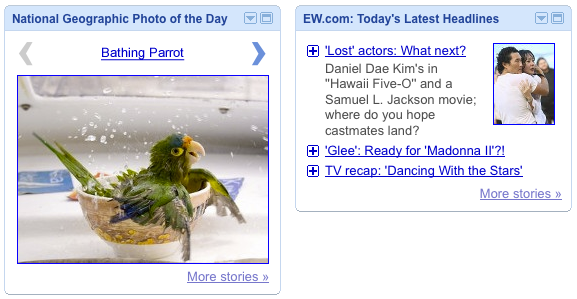
Nearly every iGoogle user has an RSS feed or two on their homepage - from top news to celebrity gossip, recipes, and much much more. In true Google fashion, we originally launched RSS support with a simple headline-only presentation. However, we all know the power of pictures, and so, we're happy to announce the addition of image support to our standard RSS gadget.

With this new feature, users have three different display views.

Headline only
Headline only view

SlideshowHeadline and lead story
Slideshow and Headline and lead story views

When users go to iGoogle today, they’ll notice that not all feeds have the same view. We default each feed to what we believe is the optimal display based on the images currently available in the feed. Of course, users can change the display setting by choosing "edit settings" in the drop down menu for each feed.

These new views not only create a better experience for users, but also give publishers an opportunity to more easily expose rich content, often already present in their RSS feeds. To take advantage of this new feature, publishers simply need to add images and associated Media RSS and/or enclosure elements to their existing RSS feeds. We’ll then grab the images, resize them down as necessary, and provide hosting/caching. Additionally, we’ll make the images clickable and display a 150 character snippet in the “Headline and lead story” view.

Here are a sampling of feeds to try out:


This feature is launching in the US over the next day with full international support coming soon. Please see our feed publisher instructions for more information.

Tuesday, 20 April 2010

UserPrefs in Gadget URLs

There's been a change in the way we send parameters to gadgets which use Content type="url". In short, we started sending the user prefs parameters after a # - the URL fragment identifier. As it turns out, this change caused problems for developers who rely on using URL parameters in server side code - since the url fragment isn't sent to the server.

If this change caused trouble for your gadget then we have figured out a way to exempt gadgets individually for up to about two weeks - that's until May 4. So time is still tight but not as tight. Read on to the end of this post for details.

We didn't intend to break any gadgets and I would normally announce changes like this on the blog and in the forum earlier. The team discussed ways that affected gadgets can deal with the new location of the parameters for type=url gadgets and have a couple ideas for fixes.

First, if your gadget can deal with the user prefs completely in Javascript without another trip to the server then do so. Use the documented apis for user prefs. Gadgets that are already using these API functions to retrieve user prefs are not affected by this iGoogle change.

The other, hopefully less common, case is if you use the parameters in server side code in a way that slightly alters the delivered content. An example would be setting up location-dependant data with the user location stored in their preferences. In this case you can have the gadget read the parameters from the URL in Javascript and send an AJAX request to your server for the data you need to render the relevant sections of your gadget. Of course your gadget should use the documented user prefs apis as above.

A side-effect of the second fix may be that your gadget's initial render can happen sooner which can improve user-perceived performance (while taking roughly the same time to load overall).

We realize this unintended consequence may be difficult to deal with immediately. So we've figured out a way to exempt specific gadgets for up to two weeks if you need the time. Just give the URL of your gadget in this forum thread and we'll add you to the list.

I encourage anyone to post specific questions about fixes for your code in new threads in the iGoogle Developer forum. While it's not normally the best place for help with server-side code, in this case you may find other developers in similar situations.

Monday, 23 November 2009

Amigos! Freunde! Friends! Друзья!

Googlers live all over the world, and so do Google's users. In fact, more than half of iGoogle's users are outside the US, which is why we're pleased today to announce the release of support for social gadgets on iGoogle in more than 30 languages, from Bulgarian to Vietnamese.

That means if you're developing or thinking about developing a social gadget to help users connect and collaborate on iGoogle, the size of your potential audience more than doubled! Now is a great time to explore our developer's site to learn about developing social gadgets for iGoogle. Or, if you already have a social gadget, you can click here to learn how to make it accessible to an international audience.

To learn more about how to make iGoogle and even more fun and personal homepage, you can check out the video below.


Friday, 20 November 2009

Launching the iGoogle Gadget Dashboard

As Googlers, we love data. More data lets us make better decisions and make improvements to our products. As fellow gadget authors, we know that once you've developed a gadget, it can be difficult to get data that lets you know how your gadget is doing. The stats and comments in the directory are tailored for users, not developers, to help them make better decisions about which gadgets to install. Developers deserve a way to get data that lets them improve their gadgets.

Worry no longer! We're pleased to announce the launch of the iGoogle gadget dashboard, a place where developers can manage their gadgets and see detailed analytics about their gadgets' usage. Right now the dashboard allows you to see user numbers over time, number of gadget loads in home and canvas view, as well a geographic break down of users. We plan on adding more features to the dashboard in the near future which will give developers even more detailed information.

If you've already built an iGoogle gadget, go to the dashboard and add it. All you have to do is log in and enter the URL of any gadget you own or developed. Enjoy!

If you have any questions about the gadget dashboard, please visit the iGoogle Developer Forum.